How to Reset iPhone 11 to Factory Settings Without Passcode - A Completed Guide
For many iPhone users, forgetting the screen passcode is more common than expected. If you’re locked out of your device and wondering how to reset iPhone to factory settings, you’re not alone. This situation is especially frustrating on newer models like the iPhone 11, where security features are stronger and traditional methods don’t always work.
In this guide, we’ll explain how to reset iPhone 11 to factory settings, even if you don’t remember the passcode. We’ll cover official Apple methods, their limitations, and practical alternatives like iPhone unlocker software, so you can choose the solution that actually works for your situation.
What Does “Reset to Factory Settings iPhone” Mean?
When you reset to factory settings iPhone, the device is completely erased. All apps, photos, messages, and settings are deleted, the system returns to its original state, and iOS is reinstalled fresh. People often search for this under different terms, such as how can I reset my iPhone to factory settings, and how to reset iPhone 11 when I forgot my password. Regardless of the wording, the goal is the same: erase the device and start over.
Common Reasons You Need to Reset an iPhone Without Passcode
You may need to reset iPhone to factory settings without passcode if:
- You forgot your screen lock
- iPhone shows “iPhone is Disabled”
- Face ID / Touch ID no longer works
- You bought a second-hand iPhone
- The device belonged to someone else
Method 1: How to Reset iPhone to Factory Settings on iTunes/Finder
Apple’s official solution involves iTunes (or Finder on newer macOS versions). This is usually the first method users try. Here are the steps to Reset iPhone Using iTunes.
Turn off your iPhone 11, and connect the phone to a computer. Put your iPhone in Recovery Mode. Open iTunes or Finder, and click Restore to proceed. This method explains how to reset iPhone to factory settings on iTunes, but it doesn’t always succeed, as it requires a trusted computer, may lead to Activation Lock after reset.
Method 2: Reset iPhone via iCloud (Apple ID Required)
Another official option is iCloud. Go to iCloud.com, sign in with the Apple ID. Open Find My, and select your iPhone. Click Erase iPhone to proceed. This answers how can I reset my iPhone to factory settings, but only if you remember the Apple ID password.
Method 3: Reset iPhone to Factory Settings Without iTunes or Passcode
If you’re stuck without passcode, Apple ID, or iTunes access, many users look for a more direct approach. This is especially common for people searching reset iphone to factory settings without iTunes or passcode. In these cases, a dedicated iOS unlocking solution can be the most practical option. Tools like MagFone iPhone Unlocker are designed specifically for this scenario to removing the screen lock and resetting the device safely, meanwhile, it is also a great tool to remove MDM from iPhone.
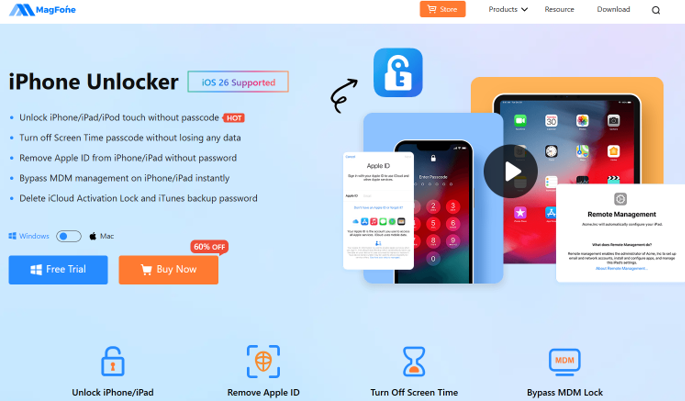
How to Reset iPhone 11 to Factory Settings Using MagFone iPhone Unlocker
This method focuses on simplicity and reliability, even for non-technical users.
Step 1: Launch the MagFone iPhone Unlocker software on your computer and connect your iPhone 11 via USB. Select Unlock iOS Screen option.
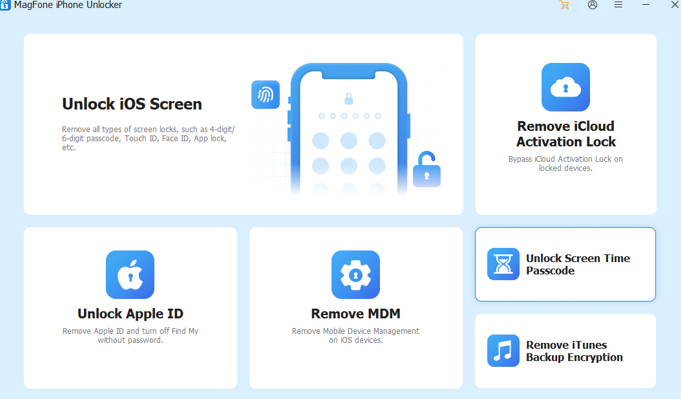
Step 2: Put iPhone in Recovery or DFU Mode according to step-by-step instructions MagFone provided, and the correct iOS firmware will automatically detected and downloaded.
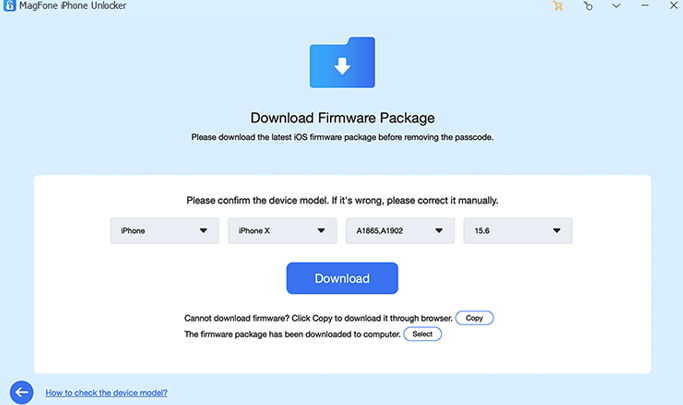
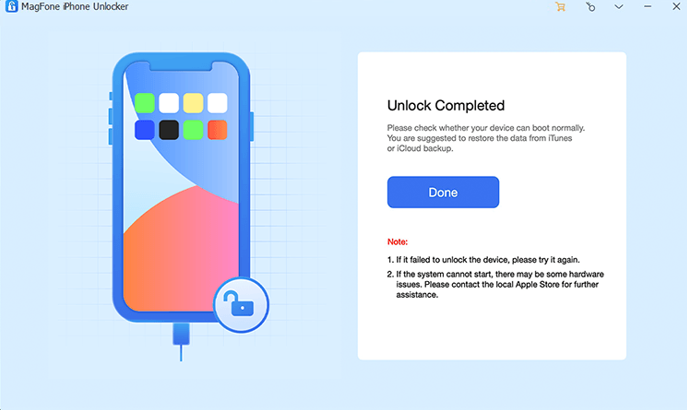
Step 3: Click Start Unlock button to reset iPhone to factory settings. Once the process starts, the screen passcode is removed and the device is erased. After completion, your iPhone restarts, fully reset to factory settings.
Why This Method Works for iPhone 11 Users
Compared with official Apple methods, this approach is often chosen because:
No screen passcode is required
No need to rely on iTunes
Clear instructions for beginners
Supports modern devices like iPhone 11
For users searching how to reset iPhone 11 to factory settings, this provides a more predictable result.
Important Notes Before Resetting
Before you reset your iPhone, keep these points in mind:
- All data will be erased permanently
- Activation Lock may still appear if Find My iPhone is enabled
- Always reset devices you legally own
- Back up data if possible before starting
Which Reset Method Should You Choose
Here’s a quick overview:
Know passcode - Reset in Settings
Know Apple ID - iCloud erase
Trusted computer available - iTunes restore
Forgot passcode & Apple ID - Dedicated iPhone unlocker software
If your goal is to reset iPhone to factory settings without passcode, MagFone iPhone Unlocker is often the most realistic.
Final Thoughts
Understanding how to reset iPhone to factory settings, especially on an iPhone 11, can save you time and frustration. While Apple’s official tools work in limited cases, they often fall short when key credentials are missing.
For users who want a straightforward way to reset iPhone 11 to factory settings without relying on iTunes or remembering a passcode, modern unlocking solutions provide a practical alternative. The key is choosing a method that fits your situation and minimizes unnecessary roadblocks.