How to Recover Deleted WhatsApp Images on Android: A Complete Guide
In today’s digital era, WhatsApp has become a popular communication platform, allowing you to connect with people across the world easily. From text chats to images and videos, you can easily share almost anything using WhatsApp. Ever wondered what if your important WhatsApp images get deleted on an Android phone?
WhatsApp images hold sentimental and practical values, so losing them can be quite distressing. Fortunately, several Android data recovery methods are available that you can try to restore your lost WhatsApp images. In this comprehensive guide, we’ll explore everything you need to know about how to recover deleted WhatsApp images on Android. Just go with these methods one by one to restore your lost photos.
Understanding Why WhatsApp Images Get Deleted
Before diving into different methods for Android data recovery to restore your lost WhatsApp Images, it’s important to understand the exact reason for their disappearance.
Common reasons include:
- Accidental Deletion: You may’ve accidentally deleted photos from your phone while browsing other files and folders on it.
- Disabled WhatsApp Media Auto-Download Feature: If auto-download is turned off, WhatsApp might not save media to your gallery. The images may exist inside WhatsApp but not in your device storage.
- App Reinstall or Device Reset: Uninstalling WhatsApp or factory resetting your phone without proper backup can cause all images and chats to be lost.
- Clearing the WhatsApp Folder: All your WhatsApp images are saved inside the internal “WhatsApp/Media” directory, and cleaning this directory can remove those files entirely.
- Outdated Backup or Disabled Backup: If your Google Drive or local WhatsApp backup was never updated, your images won't be restored during reinstallation.
How do I Recover Deleted WhatsApp Images?
Now that you are familiar with some common reasons for deletion of WhatsApp images on your Android phones, let’s jump to adequate recovery methods. You can apply the below methods one by one to recover deleted WhatsApp photos on Android:
Method 01: Recover WhatsApp Images from Local Backup
Let’s start with the simplest approach first. If you are good at maintaining regular backups of your WhatsApp chats, try recovering deleted WhatsApp images on an Android phone using these backups. Android phones automatically create a backup of your WhatsApp every night at 2 AM if you’ve enabled this backup feature.
To restore your deleted WhatsApp images, you’ve to:
- Firstly, open the File Manager app on your Android device and go to the WhatsApp Databases folder location. (for this: go to Internal Storage > WhatsApp > Databases)
- Here, you will see backup files like msgstore.db.crypt14 (latest) or msgstore-YYYY-MM-DD.1.db.crypt14 (older backups).
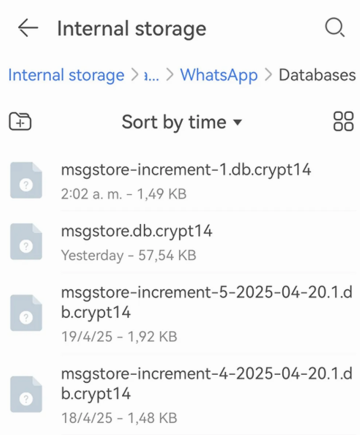
Select an older backup and rename it to: msgstore.db.crypt14. After that, uninstall WhatsApp from your phone and then reinstall its latest version from the Play Store. Verify your registered phone number and wait for WhatsApp to detect the local backup. When asked, click Restore from the local backup to recover chats and associated WhatsApp images.
Method 02: Recover Deleted WhatsApp Images from Google Drive Backup
Another backup utility you can try to recover deleted WhatsApp images is by using cloud backups, such as Google Drive. If Google Drive backup was enabled on your phone before photo deletion, follow the below steps to restore your deleted images:
- Uninstall the WhatsApp application from your phone and then reinstall it.
- Open the app and verify your phone number by carefully following the on-screen prompts.
- Once you enter the phone number linked to your previous backup, WhatsApp automatically detects all the previously created Google Drive backups.
- Select the backup you want to recover and click the Restore button.
- After completion of the recovery process, tap Next and allow WhatsApp to load your recovered images.
Additional Tip: How to Recover Deleted WhatsApp Images Without Backup?
If you don’t have any aforementioned backup of your deleted WhatsApp Images, recovery can be challenging but not impossible at all. Fortunately, there are several Android data recovery software tools available online that can help you recover deleted chats and other WhatsApp files in a few simple clicks. Stellar Data Recovery for Android is a versatile tool which allows you to restore files (including WhatsApp Chats) deleted due to accidental deletion, formatting, or system errors. etc.
Key Features of Stellar Data Recovery for Android:
- Supports direct recovery of your WhatsApp photos from iPhone/Android Devices without Backup.
- It allows you to preview the recoverable files before saving them on your device.
- Supports managing your WhatsApp data, such as encryption, decryption, and deletion
- It is a 100% safe and secure Android data recovery software, allowing data recovery without any risk of data overwriting, privacy leaks, or device damage.
Here’s how to recover deleted WhatsApp Images on Android using this professional data recovery software:
Step 1: Firstly, download and install the Stellar Data Recovery for Android software from its official website on your Windows PC. Also, connect your Android phone using a USB cable.
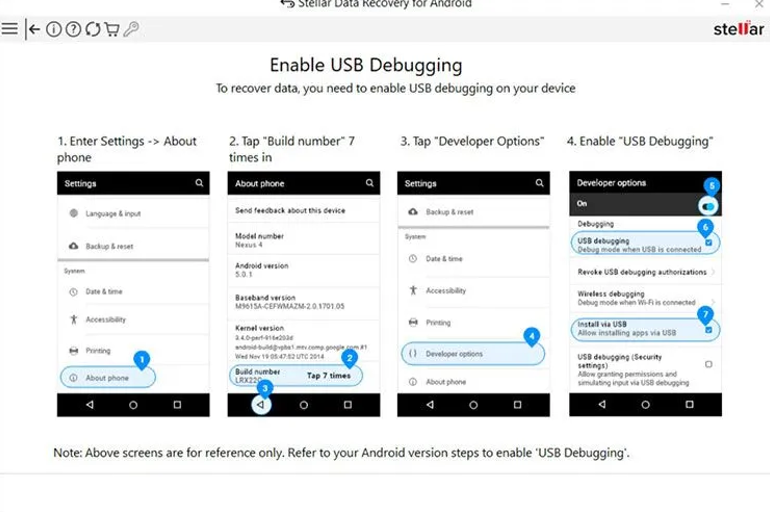
Step 2: Now, you need to enable USB debugging on your device. For this, launch the Settings app, go to About Phone> tap Build Number (seven times to enable Developer Options). Go back to Settings > Developer Options and then turn on USB Debugging.
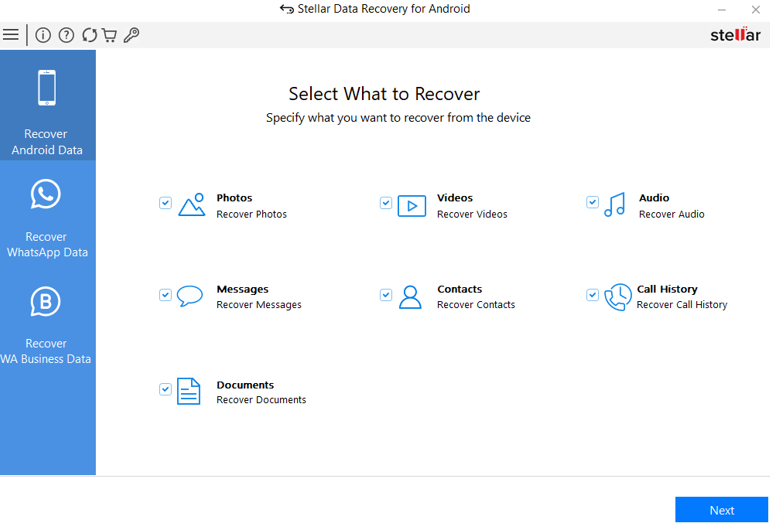
Step 3: Launch the software and from the homepage, select Photos or WhatsApp Media (if available) to scan your device for deleted WhatsApp images.
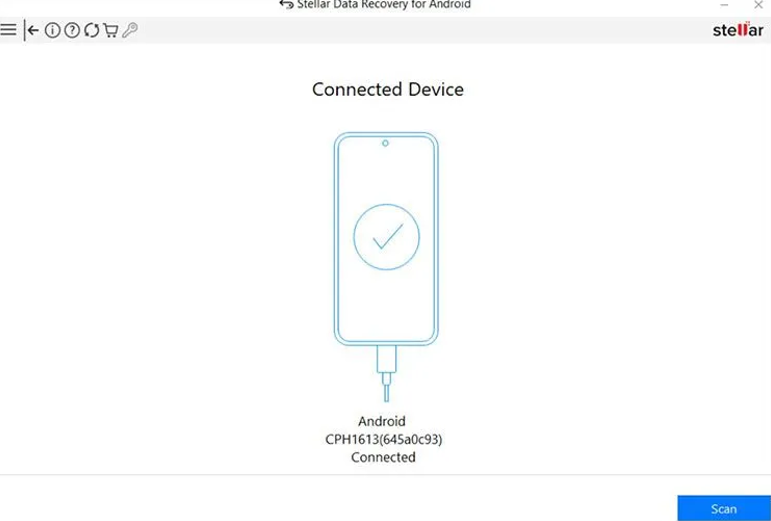
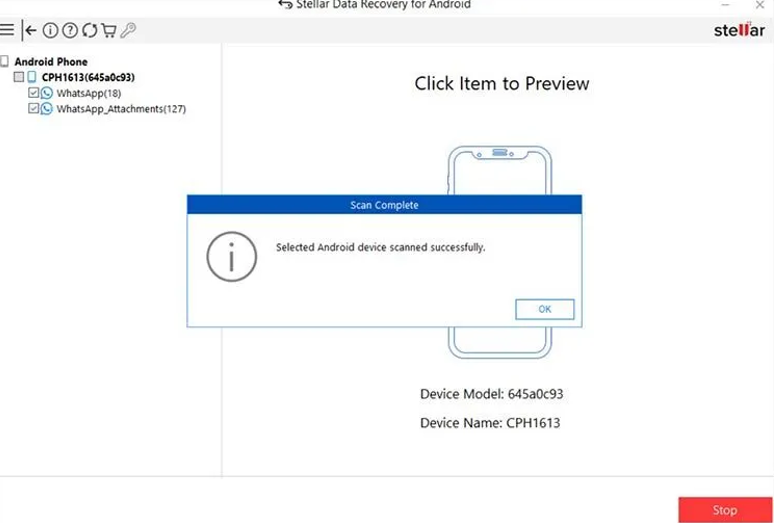
Step 4: Click Scan to initiate the scanning process and wait till the software scans your phone’s storage to locate deleted or hidden WhatsApp images.
Step 5: Once the scan is complete, preview the recoverable files and select the WhatsApp images you want to restore.
Step 6: Click the Save button to save the selected photo to the desired location on your device.
Note: Avoid saving the recovered files back to the same phone storage to prevent data overwriting.
Preventive Tips to Avoid WhatsApp Image Loss in the Future
After successfully applying the aforementioned Android data recovery methods to restore your lost WhatsApp images, it’s time to take adequate preventive measures to avoid such data loss issues. For this:
- Enable Auto Google Drive Backup: For this, go to WhatsApp > Settings > Chats > Chat Backup > Turn ON.
- Turn On Media Auto-Downloaded Feature: Allow WhatsApp to automatically download and store received images in your gallery. This helps to ensure that your lost images somehow remain within the chat.
- Avoid Cleaning Apps: Many cleaning or optimisation apps delete WhatsApp media folders. Disable or uninstall such apps to prevent accidental removal of files.
- Regularly Organise and Back Up Your Media: Move important photos to a secure folder, computer, or cloud drive to minimise loss during app crashes or phone resets.
Wrapping Up
Losing WhatsApp images can be distressing, especially if they hold valuable memories. If you ever find your WhatsApp photos deleted, go with the recovery workarounds ranging from simple chat-based recovery to third-party Android data recovery software to restore your deleted files. Depending on whether your images were backed up, saved locally, or completely deleted, you can choose the right recovery method from this guide. If you don’t have any backup, try third-party Android data recovery software tools like Stellar Data Recovery for Android to scan your device for deleted files.